
6 apps om de locatie van familieleden op iPhone te traceren | Beoordeling

Melissa E. Henry

Nearly 8 out of 10 parents in the U.S. check where their kids are using location apps. That alone says a lot about how families stay connected today, especially when it comes to safety.

If you’ve been searching for how to track family members’ locations on iPhone in a way users can actually trust, you’re in good company. A lot of parents struggle with the same thing.

That’s where the right app can make a real difference. In this guide, we’ll walk you through some of the best options that let you stay in the loop without feeling overbearing. Let’s get into it!

Inhoudsopgave

Eyezy

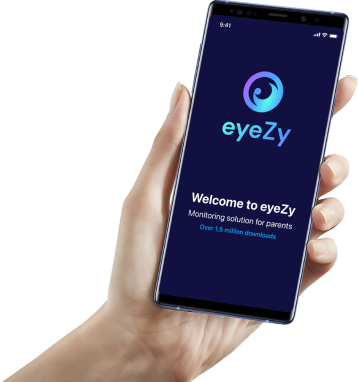
For parents searching for a family tracking app for iPhone, Eyezy often comes up for one simple reason: it gives you clear, useful location details without making things complicated. It’s built for parents who want reassurance, not guesswork.

It lets you:

  • Track your child’s location with reliable accuracy
  • Check full location history, whether that’s five minutes ago or last week
  • See the details that actually matter, like timestamps, exact addresses, coordinates, and map views
  • Set up safe zones on the map and get alerts when your child enters or leaves them
  • View battery levels, so you know when tracking might stop because the phone is running low

One thing many parents care about? The app stays hidden. Once it’s installed on your child’s phone, it runs quietly in the background. No app icon. No pop-ups. No performance issues. Nothing that would tip them off.

It’s also worth mentioning that Eyezy works across both iPhone and Android. So if you’re on an iPhone and your child uses an Android — or the other way around — it still works without extra hassle.

And since Eyezy is a full parental control app, location tracking is only part of the picture here. It includes many more monitoring features. We’ll get into those a bit later.

eyezy-banner-afbeelding
Go beyond location tracking!
See everything from private messages to call recordings.

Life360

Life360 is another well-known app if your main goal is to track family members’ locations on iPhone. The app is very focused on location sharing, and honestly, does it very well.

It lets you create private “Circles” for your family. Everyone in the group shows up on the same map, so you can quickly check when kids arrive at school or get home. No digging through menus. Just open the app and look.

Life360 also adds a few safety-focused extras. You can get alerts when someone arrives at or leaves specific areas, and there’s an SOS feature for emergencies. Some paid plans go further with things like crash detection and roadside help.

If you mostly want a simple way to track location without a lot of extra controls, Life360 is a solid choice.

Zoek mijn

Find My is a free family tracking app for iPhone. If you’re on iOS, you don’t need to download anything. It works through Family Sharing, as long as everyone agrees to share their location.

Once that’s done, you can see family members’ real-time positions on a map. But keep in mind, there are limits. You only get live location data — no location history at all. And if your child uses an Android phone, this won’t work, since the platforms don’t play nicely together.

Still, if everyone in your family uses iOS and you just want a quick, no-cost way to check where everyone is, the Find My family app for iPhone is a good choice.

Ouderlijk

It’s a parental control app that includes location tracking as part of the package. You can see where your child is, look back at location history, and set up geofencing alerts to know when they enter or leave certain zones.

That said, the rest of its features are pretty bare-bones. It sticks to the basics like viewing messages, browser history, and call logs. For a lot of parents today, that may feel a bit thin — especially compared to apps that dig deeper into online activity.

But if we’re talking strictly about location tracking, it does hold up. Simple, reliable, and easy to use — which might be enough if that’s all you’re after.

Family Nest

Family 360 is a simple option for people who just want to track family members’ locations on iPhone without dealing with a lot of extra features. The app shows everyone on a shared map, so it’s easy to check where family members are at any moment.

It supports real-time location tracking, location alerts, and access to location history. It also works on both iOS and Android, which helps if your household uses a mix of devices.

The biggest advantage of Google Family Link is that it’s completely free. It gives you a family locator app for iPhone along with a few simple monitoring tools to cover the basics.

You can check a child’s location, get location updates, and handle simple rules like screen time limits or app approvals. It covers the essentials without much setup, which some families will appreciate.

One of its biggest upsides is cross-platform support. It works across Android devices, Chromebooks, and iPhones, so it fits mixed-device households pretty well. That said, on iOS, the controls are more limited. You get location sharing, but you don’t get the deeper device controls available on Android.

Which Option Really Keeps Kids Safer?

Knowing your child’s location is helpful. But real safety doesn’t stop at a pin on a map. What matters more is understanding what’s going on around them — and being able to step in.

That’s where more complete platforms, like Eyezy, come into play. Instead of focusing on one feature, this app pulls everything into one place. Things like:

  • Private chat monitoring
  • Gespreksopname
  • AI-assisted conversation insights
  • Browsing and download history
  • And many other tools that help you protect your loved ones

Take a closer look at Eyezy. Choosing a tool that shows the full picture can make a real difference.

eyezy-banner-afbeelding
Bekijk alles overal met Eyezy.
Ouderapp die gelijke tred houdt met de technologie van morgen
Melissa werkt al meer dan 10 jaar in het onderwijs. Als docent beroepsonderwijs in de vakgebieden financiën en marketing heeft ze veel ervaring met het uitleggen van ingewikkelde zaken in eenvoudige bewoordingen. Ze rust haar studenten niet alleen uit met de nodige vaardigheden, maar deelt haar kennis ook online door middel van educatieve artikelen over marketing en handleidingen voor verschillende digitale tools.

Reageer:

Je e-mailadres wordt niet gepubliceerd. Verplichte velden zijn gemarkeerd met *


eyezy-banner-afbeelding
Bekijk alles overal met Eyezy.
Ouderapp die gelijke tred houdt met de technologie van morgen

Meld u aan voor onze nieuwsbrieven
Terug naar boven