You probably found this page after typing something like “see my daughter’s location on an iPhone” into Google. And we’re really glad you’re here. It shows you’re trying to look out for your child and make sure she’s safe, and that matters a lot.
There are plenty of ways to track a location, and it can be hard to know which one to use. But we’ve answered all the questions you might have, so you can figure out what works best for your family.
목차
Is It Legal to Monitor My Child’s Location on an iPhone?
Parents have the right to track the location of their minor children. After all, keeping them safe — both online and in the real world — is part of the job. Even so, if you want total peace of mind, you can double-check your local laws just to be sure everything aligns with what you’re doing.
What App Can I Use to See My Child’s Location on an iPhone?
Eyezy Parental App
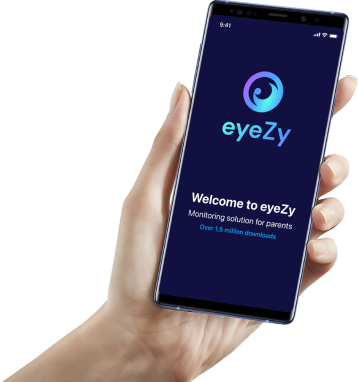
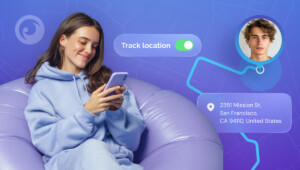
The best thing about Eyezy is how straightforward it is. You open your control panel and can instantly see where your kid is and where they’ve been. The app shows the exact spot on the map, plus a detailed list of past locations with coordinates, addresses, and timestamps.
You can also draw your own zones on the map — maybe school, a friend’s place, or soccer practice. When your kid enters or leaves one of those spots, your phone buzzes.
And if there are places you’re not comfortable with, you can mark those too. You’ll get alerts the moment they step in or out, which helps you react faster when something feels off.
The best part is that Eyezy is a full-featured parental control app, so you can do more than just track a child’s location on an iPhone. It includes a range of tools that help you keep an eye on their digital life and protect them.
Life 360
With this app, you can see where your kid is at any moment, view location history, set up zones on the map, and even check their phone’s battery level.
That last part sounds small, but it helps a lot. You instantly know when tracking might cut out because the phone’s about to die, which saves you from a lot of guessing.
Another handy thing: Life360 sells Tile Pro Trackers you can add on if you want. They’re tiny tags you clip onto a jacket or backpack, and if the phone dies, you can still see the real location via these trackers.
But keep in mind that Life360 isn’t a full parental control app. It doesn’t have the extra monitoring tools some parents want. Even so, when it comes to pure location tracking, it’s consistent and reliable.
내 찾기
Find My comes built into every iPhone, and it’s the easiest way to check where your kid is without installing anything extra. It works across iPhone, iPad, and Mac, so you can check the location from whichever device is most convenient.
As long as your child’s iPhone is signed in with their Apple ID and “내 위치 공유하기” is enabled, you can view their real-time location from your own iPhone.
And if you’ve been asking yourself, “Can I track my kid’s iPhone for free?” this is pretty much the only free option Apple gives you. But keep in mind that it’s limited. You can see their live location, but you can’t check where they were earlier or create zones like you can with a parental control app.
Can I See My Kids’ Location on My iPhone Without Them Knowing?
Yes, you can. Eyezy lets you do that since it runs in hidden mode. Your kid won’t see an icon, won’t get alerts, and won’t notice anything different on their phone.
After you install it on their device, it stays out of sight. It doesn’t pop up with random notifications or slow anything down, so nothing feels suspicious.
So if you need the tracking to stay completely private, Eyezy is one of the few apps that actually offers that option.
How Can I Check My Child’s Location on an iPhone?
Let’s take Eyezy as an example. First, go to the website and choose the subscription plan that suits you best. Once you’ve completed the payment, you’ll receive an email with an installation guide and your personal credentials for the Control Panel.
The setup itself is quick. You don’t need to be tech-savvy to get through it. And if you do get stuck, Eyezy’s support team is always available and responds at any time of day.
Once the app’s installed on your child’s phone, simply log in to your Control Panel. Tap GPS Locations 그리고 Geo-fencing, and you’ll see everywhere your kid is or has been, or set up specific areas for closer monitoring.
Which Option Is Best For My Child’s Safety?
If you want more than simple location tracking, a full parental control app is usually the better pick. It gives you tools that cover the bigger picture. Here, for example, is what Eyezy lets you do:
- Read your child’s chats on apps like Instagram, WhatsApp, Snapchat, Facebook, and several others.
- See call details and even listen to what was said during those calls.
- Check conversations they have with AI tools like ChatGPT or Gemini.
- Look at what they search online, which sites they open, and what they download.
- Block anything you don’t want them to access — and you can do it right from your dashboard.
When it comes to your child’s safety, it’s best to monitor everything comprehensively. With Eyezy, you won’t miss a thing. We guarantee it.