
Eyezy Live Screen Streaming
Eyezy Screen Streaming makes it easy to see kids’ phone screens live, so you never miss what's happening on their device.
Try now See it in action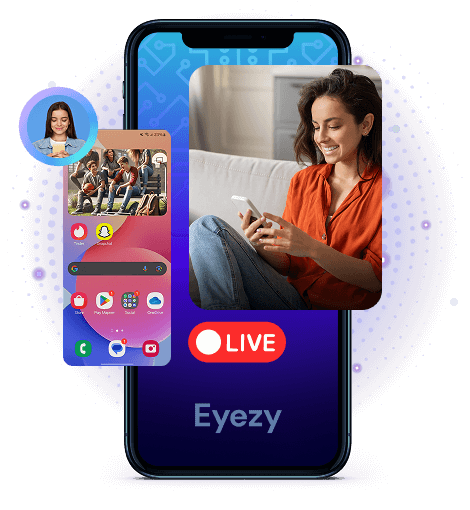
Get live access to their screen
What they see on the screen, you can now see too. Mirror someone's phone with ease.

Watch their screen live
Know exactly what’s happening on their phone as if you’re holding it yourself.

Know which apps they open
See when they scroll social media, send messages, or browse the web.

See the notification they get
Stay up-to-date with every message and app alert.
A world of safety.
All at your fingertips.
Eyezy is packed with everything you need to find out what’s going on in their world, wherever and whenever it’s happening.


3 easy steps to get started
-
Pick your membership
We’ve got plans for every need. Just create your account and choose the plan that’s right for your family.
-
Install Eyezy
Our Friendly Installer will show you everything you need to do to get started. We made it easy for you. And in case you need some help, our 24/7 support is always there for you!
-
Dig out the info
Log in to your Eyezy Dashboard and discover the truth about those you care about the most. Dispel any doubts in your family relationships and make wise data driven decisions.
faq
Can you see your children’s phone screen?
Yes, with Eyezy's Live Screen Streaming feature, you can monitor the phone screens and see what's happening on their phones like on your own! You can monitor your kid’s app activity, notifications, web browsing, and more, so you're always aware of their safe or risky communications.
Is it hard to start using this feature?
No, if you already have an Eyezy subscription, you can purchase the Live Screen Streaming feature separately and find it in your own dashboard. Then click 'Start Live' and you're ready to start monitoring! Want to take a closer look at something? Take a screenshot with the extra button.
How to view my kid’s screen on my phone?
With the right app to see children’s screens, you can monitor discreetly. And Eyezy does it. The Screen Streaming feature allows you to get insight from the phone, with full access to their device, but it doesn’t leave an app icon. It's a powerful tool for parents who want to protect their family.
Can I see who writes my kids?
This way, if someone who seems suspicious (a new friend or an online predator) starts texting your children, you can view it on their screen on your Eyezy Dashboard. You will see the chat when they enter it, their nickname, and the media they share. You'll also see the dates and times, so you can be sure they're not late-night texts.
Is there an app that lets you see a kid’s screen?
Yes. Eyezy is one app that allows you to display screens. It provides a trusted and secure way to view how your children use their devices.
But be wary of free apps that claim to offer similar features - many of them can steal your personal information or compromise your security. Always choose a credible and reputable app, like Eyezy, to ensure your privacy.
How to see the screen remotely?
There are several ways to view screens remotely, such as using screen-sharing apps like Zoom or Google Meet. But those require the kids’ permanent consent and don't work in hidden mode.
For a more discreet and guaranteed solution, Eyezy's Screen Streaming is the best option. Once installed, you can view the kids’ screens.
Is it legal to use an app to view a child’s live phone screen?
It depends on how and why you’re using it. Monitoring a child’s device or using it with consent is generally legal. Or employers tracking company-owned devices usually have legal grounds.
However, secretly accessing a personal phone without consent is against the law. Before using any monitoring app, check the regulations in your country to ensure compliance.
Can I view a child’s phone screen on my iPhone or Android?
Yes! Eyezy works on both iPhone and Android, allowing you to see the phone’s screen from your own device. Once installed, you can access the kid’s live screen remotely through your Eyezy account, no matter what phone you’re using.


